Request without card details
Submit a trial request without entering payment-card information. A trial request is not described as an automatic paid renewal.
IPTV for the UK: use a free 24h test to explore 18,000 channels and 80,000 VOD titles on supported smart devices. Then choose a transparent fixed-duration plan with one-time payment, no automatic renewal and 24h support.
BUILT FOR THE SCREENS YOU ALREADY OWN
Choose a fixed-duration plan for the screens your household already owns. Test the eligible line-up, player and connection first, then pay once with no automatic renewal.
A guided start for smart IPTV players, Fire TV, Android TV and mobile—without the jargon.
See what is included before you subscribe. Content is supplied only where licensed and available.
Streams adjust to the connection and device, helping keep live viewing smooth and responsive.
Get help choosing a player, connecting a device or fixing a viewing issue.
Prices depend on the plan duration and number of simultaneous streams. Choose one to four streams, then compare the one-, three-, six- and twelve-month one-time prices with no automatic renewal.
Live, catch-up and on-demand in one place.
Supported TVs, mobile, Fire TV and desktop.
Friendly guidance during your first week.
Only authorised content for your plan and region.
The easiest way to get started.
One-time payment. No automatic renewal.
Availability depends on your package.
Guides for TV, Fire TV, mobile and desktop.
Watch on up to 1 screen at the same time.
Real help throughout your first week.
A little longer at a better price.
One-time payment covering three months.
Availability depends on your package.
Guides for TV, Fire TV, mobile and desktop.
Watch on up to 1 screen at the same time.
Real help throughout your first week.
More time with one simple payment.
One-time payment covering six months.
Availability depends on your package.
Guides for TV, Fire TV, mobile and desktop.
Watch on up to 1 screen at the same time.
Real help throughout your first week.
Our lowest effective monthly price.
One-time payment covering one year.
Availability depends on your package.
Guides for TV, Fire TV, mobile and desktop.
Watch on up to 1 screen at the same time.
Real help throughout your first week.
The easiest way to get started.
One-time payment. No automatic renewal.
Availability depends on your package.
Guides for TV, Fire TV, mobile and desktop.
Watch on up to 2 screens at the same time.
Real help throughout your first week.
A little longer at a better price.
One-time payment covering three months.
Availability depends on your package.
Guides for TV, Fire TV, mobile and desktop.
Watch on up to 2 screens at the same time.
Real help throughout your first week.
More time with one simple payment.
One-time payment covering six months.
Availability depends on your package.
Guides for TV, Fire TV, mobile and desktop.
Watch on up to 2 screens at the same time.
Real help throughout your first week.
Our lowest effective monthly price.
One-time payment covering one year.
Availability depends on your package.
Guides for TV, Fire TV, mobile and desktop.
Watch on up to 2 screens at the same time.
Real help throughout your first week.
The easiest way to get started.
One-time payment. No automatic renewal.
Availability depends on your package.
Guides for TV, Fire TV, mobile and desktop.
Watch on up to 3 screens at the same time.
Real help throughout your first week.
A little longer at a better price.
One-time payment covering three months.
Availability depends on your package.
Guides for TV, Fire TV, mobile and desktop.
Watch on up to 3 screens at the same time.
Real help throughout your first week.
More time with one simple payment.
One-time payment covering six months.
Availability depends on your package.
Guides for TV, Fire TV, mobile and desktop.
Watch on up to 3 screens at the same time.
Real help throughout your first week.
Our lowest effective monthly price.
One-time payment covering one year.
Availability depends on your package.
Guides for TV, Fire TV, mobile and desktop.
Watch on up to 3 screens at the same time.
Real help throughout your first week.
The easiest way to get started.
One-time payment. No automatic renewal.
Availability depends on your package.
Guides for TV, Fire TV, mobile and desktop.
Watch on up to 4 screens at the same time.
Real help throughout your first week.
A little longer at a better price.
One-time payment covering three months.
Availability depends on your package.
Guides for TV, Fire TV, mobile and desktop.
Watch on up to 4 screens at the same time.
Real help throughout your first week.
More time with one simple payment.
One-time payment covering six months.
Availability depends on your package.
Guides for TV, Fire TV, mobile and desktop.
Watch on up to 4 screens at the same time.
Real help throughout your first week.
Our lowest effective monthly price.
One-time payment covering one year.
Availability depends on your package.
Guides for TV, Fire TV, mobile and desktop.
Watch on up to 4 screens at the same time.
Real help throughout your first week.
BEFORE YOU START
Use the trial to check your own device, player, connection and eligible line-up before choosing a longer plan.
Submit a trial request without entering payment-card information. A trial request is not described as an automatic paid renewal.
The 24-hour period starts when access is activated or issued, unless support tells you otherwise. Prepare your player first.
Test sign-in, navigation, live and on-demand playback, sound and picture quality on the screen and connection you normally use.
Eligible content and resolution depend on the selected package, device, region and content rights. A short trial is not a permanent catalogue guarantee.
Need help during the trial? Contact support before the access window ends and include your device, player and exact error message.
Feedback about the 24-hour trial, supported devices, picture quality and clear setup help from the buy-iptv team.
The 24-hour trial made the decision easier. The setup on my Fire TV was clear, and I was able to test the service on the screen I actually use.
Playback has been stable on my Smart TV, and the picture remains clear when a 4K source is available. The programme guide is also straightforward to navigate.
I wanted a simple IPTV UK setup without complicated instructions. The activation steps were easy to follow and support answered the questions I had.
Connecting my Android TV was uncomplicated. The guide explained which details to enter, and the player was ready after the first content sync.
Being able to check the eligible line-up before choosing a plan was useful. I could focus on the categories I actually watch instead of a headline channel number.
Customer support helped me confirm the right player and worked through the setup with me. The response was clear and did not rely on technical jargon.
No technician, satellite dish or complicated installation. Choose a plan, connect a supported player and use the welcome guide to complete your first setup.
Compare the fixed-duration options and select the number of screens your household needs. The price is shown before you continue, with no automatic renewal.
After activation, your welcome email contains the login method and service details. Check the spam folder if the message is not visible in your inbox.
Open the setup guide for Smart TV, Fire TV, Android, Apple devices or desktop, then install a compatible player from the official app store.
Enter the supplied details, allow the first content sync to finish and test eligible live, catch-up and on-demand viewing on your chosen screen.
Start with the operating system on the screen you already own. The options below are third-party media players; availability, features and pricing can change by platform and region.
A straightforward option for supported smart televisions and mobile devices. It accepts provider-supplied playlist or login details; exact availability depends on the device app store.
Setup helpA cross-platform media player with playlist support and a familiar interface. It is useful when a household wants a similar setup across several device families.
Setup helpDesigned for large Android-based screens and remote-control navigation, with a programme guide, favourites and support for common playlist formats.
Setup helpA configurable Android player with category filters, search, favourites and programme-guide features. It requires the user to add their own authorised playlist or login.
Setup helpA multi-platform option commonly used on Apple devices, with support for playlists and programme information. Check the current app-store listing for your exact device.
Setup helpA flexible media-centre route for experienced users. IPTV playback is configured through the appropriate PVR client and a compatible authorised playlist.
Setup helpNo special ISP partnership or provider setting is required. Stable playback depends on the available bandwidth, the connection between router and device, household traffic and the quality of the source.
Full Fibre, part-fibre and copper broadband can all carry IPTV traffic. For the most consistent live viewing, connect the television or player by Ethernet where practical.
Cable and full-fibre services are suitable when the line has enough stable capacity. A direct Hub-to-device connection can help separate Wi-Fi problems from broadband issues.
Full Fibre and part-fibre availability depends on the address. Keep the streaming device within a strong Wi-Fi area or use Ethernet for a fixed living-room screen.
Fibre and Full Fibre packages can support live and on-demand viewing. Test the connection at normal evening viewing times and pause large household downloads if needed.
Fibre and Full Fibre connections work without provider-specific settings. Picture quality still depends on local throughput, router placement, the player and the source.
Full Fibre and part-fibre services can be used with supported players. Check the speed near the actual screen, because a strong line can still be limited by weak in-home Wi-Fi.
Provider names describe common UK broadband connections, not endorsements or guaranteed performance. Test the actual device and home network you plan to use.
UK SERVICE AVAILABILITY
Technical compatibility does not mean every channel, event or title is available everywhere. Confirm the eligible line-up for your plan and location before paying.
Regional rights can affect live television, sport, international channels and on-demand content.
Packages can differ by duration, eligible line-up and simultaneous-stream allowance. Check the current plan details.
Rights agreements and event availability can change, so no named channel or competition should be treated as permanent.
Ask support about anything essential to you and use the trial to check the eligible service on your own setup.
Looking for something specific?
Tell support your region, device and the content categories that matter to you.
IPTV is not automatically better for everyone. Compare the full price, minimum term, equipment, supported screens, eligible content and setup requirements before choosing.
Look beyond an introductory monthly figure. Add the full contract price, disclosed price changes, equipment, extra channel packs, multi-room charges and any early-exit cost. Then compare that total with the fixed-duration plan that matches your screens.
Compare plansUK providers must clearly explain contract prices and specified price changes before sign-up. Read the current Ofcom contract guidance.
ENTERTAINMENT FOR EVERY SCREEN
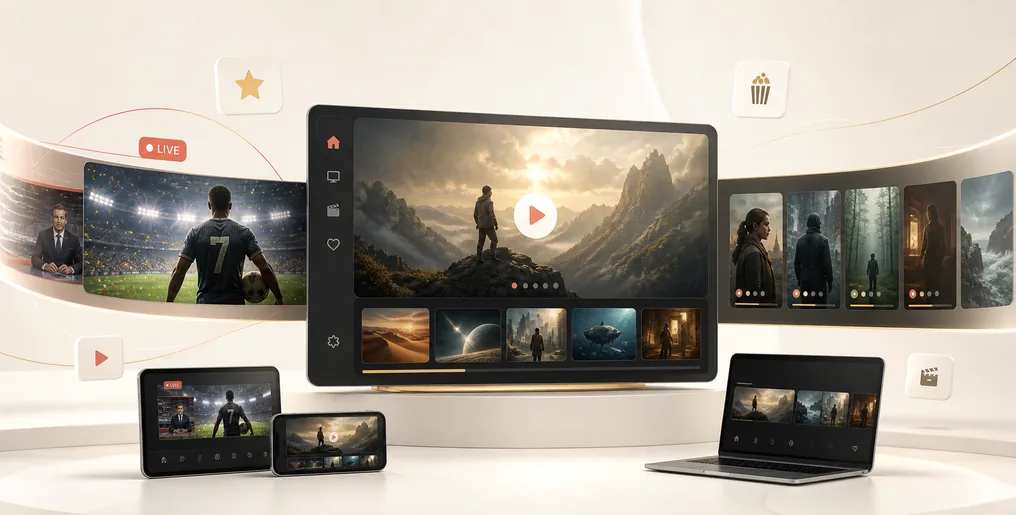
Explore live television, sports, films, series, news and family entertainment through one simple subscription. Availability varies by plan and region, and compatible content can be enjoyed across supported devices.
Channel, event, resolution and on-demand availability can vary by subscription, device and location.
See eligible sports, event availability and picture quality before you subscribe. No vague bundles, no invented channel totals.
Rights and availability differ by plan, event and location. We confirm your available line-up before payment.
What you can watch. Where it works. What it costs. And who helps when something does not go to plan.
trial to test your setup
common device families supported
a week of setup assistance
monthly cancellation
Use our guided setup on supported Samsung, LG and Android TV devices. Your playlist, favourites and viewing history stay organised in one place.
Choose your preferred compatible IPTV player.
Paste the secure access details from your welcome email.
Browse live TV, catch-up and on-demand categories.
Follow the on-screen walkthrough, sign in once and keep your channels easy to reach. Our support team can help if your device needs a hand.
Select a supported player from your device store.
Use the private details supplied with your subscription.
Keep regular channels and programmes close at hand.
Pick up on your phone or tablet with a compatible player. Ideal for commutes, holidays and the second screen at home.
Use a compatible app from your official app store.
Wi-Fi or mobile data works when the connection is stable.
Content availability follows your plan and region.
Keep your viewing flexible with a clean web experience and support for compatible Windows and macOS players.
Use our web player or a supported desktop app.
A stable connection helps protect picture quality.
Move between live, catch-up and on-demand content.
RIGHTS, ACCESS & RESPONSIBLE USE
Downloading a player or having a working internet connection does not itself grant permission to watch a channel, event or programme. Use only content that the provider is authorised to supply and that you are entitled to view in your region.
Read the UK availability and licensing guideAvailability depends on the selected plan, programme, event and region. Ask for the current eligible line-up when something specific matters.
Rights agreements can expire and events can move between broadcasters, so individual titles or competitions cannot be promised permanently.
A player app only displays a service, while a VPN does not create viewing rights or override the conditions of a plan.
Keep credentials private and follow the provider terms and applicable UK law. Do not resell or share access unless the plan expressly permits it.
HELPFUL GUIDES
Use these practical IPTV UK guides to check compatibility, prepare your connection, understand the trial and resolve common setup questions.
Prepare the player, enter your access details and complete the first content check.
Read guide → DEVICESCompare Smart TVs, streaming devices, phones, tablets and browser-based options.
Read guide → CONNECTIONUnderstand bandwidth, Wi-Fi, Ethernet and the conditions that affect HD or 4K playback.
Read guide → TRIALLearn when access begins, what to test and what a short trial cannot guarantee.
Read guide → AVAILABILITY & RIGHTSSee how plans, regions, content rights and changing catalogues affect availability.
Read guide → SUPPORTWork through login, loading, playback and connection problems with useful support details.
Read guide →Start with the free 24h test guide, compare supported IPTV devices and check UK availability and content rights. Use the answers below to confirm pricing, sports, Firestick setup, privacy and support before payment.
IPTV delivers television over an internet connection instead of a traditional aerial or satellite feed. buy-iptv is designed for viewers in the UK and only provides access to content that is licensed and authorised for the selected plan and region.
Yes. Request a 24-hour trial to check device compatibility, picture quality and the viewing experience before choosing a longer plan. Trial availability may vary by content package.
Sports options are available on eligible plans. The exact competitions and channels depend on current licensing and your location, so we show the available line-up before you pay.
No. Choose one month, three months, six months or one year as a fixed-duration plan. The full one-time price is shown before checkout, with no automatic renewal.
buy-iptv works with supported Samsung and LG smart TVs, Android TV, Fire TV, Apple TV, phones, tablets and modern web browsers through compatible player apps.
Yes, on supported Fire TV devices. We provide a step-by-step setup guide and help you choose a compatible player from the official app store.
You can register several devices, while the number of simultaneous streams depends on your plan. The selected limit is always shown before you subscribe.
A stable connection matters more than a headline speed. As a practical starting point, test your chosen device on the same network you plan to use, especially for higher-resolution streams.
A VPN is not required to use buy-iptv. If you choose to use one for general privacy, make sure it complies with the terms of your plan and does not change where licensed content is available.
buy-iptv is presented as a licensed-content service. Customers should only access content they are authorised to view, and availability remains subject to provider rights and regional rules.
Start with our quick connection check, then restart the device and player. If the issue continues, support can help review the device, network and stream status.
Account access is encrypted in transit, and we never ask you to share passwords over chat. You can review active devices and request an access reset from support.
Still unsure about your device or connection?